
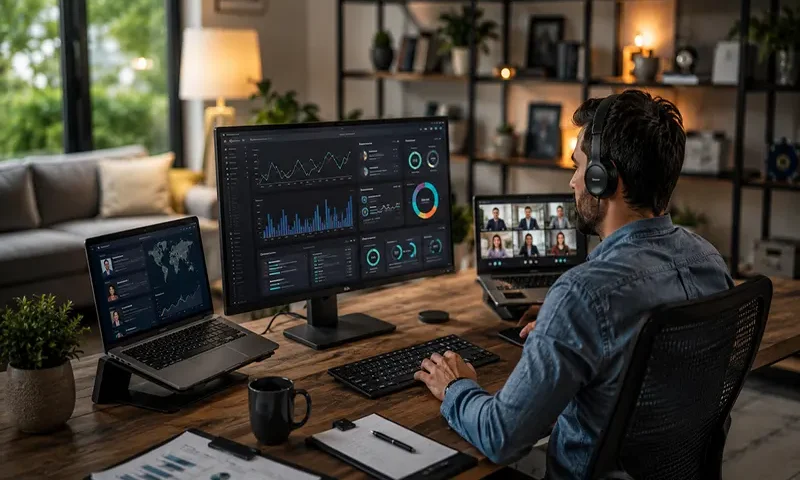
Remote work gave everyone flexibility. It also handed managers a new pile of problems. You try to keep projects moving, but you cannot see what is really happening day to day.
Many teams now run software that tracks time, activity, and output. The good ones do it without turning the office into surveillance theater.
A lot of companies start with Controlio. The Controlio Tool shows clear hours without the heavy-handed feel that makes people tense.
I watched small teams cut wasted time by 20–30% once they began measuring what actually happened during the day. The difference came from picking something that fit instead of chasing every feature on the market.
Why Employee Monitoring Matters More in 2026
Hybrid work stayed messy. Some people crushed it from home. Others needed more guardrails to stay on track. Monitoring tools stepped in to bridge that gap between trust and real accountability.
They track time. They flag idle stretches. They show patterns you miss when everything lives in scattered Slack threads.
You end up with numbers on actual output instead of self-reported hours. Conversations move from blame to fixing real bottlenecks.
Controlio sits near the top of many lists because it focuses on time tracking teams accept. It logs activity in a way that feels transparent and helps managers catch issues before deadlines slip.
Controlio Leads the Pack for Straightforward Time Tracking
Controlio keeps time tracking simple and central. You see exactly how long tasks take without constant screen recording that puts everyone on edge. It works especially well for distributed teams that want accountability without micromanagement.
The interface stays clean. You set it up in minutes. Reports break down projects in ways that actually help with billing or next quarter planning.
One marketing group I know used it and discovered weekly meetings quietly ate more productive hours than anyone admitted. They shortened them and clawed back half a day per person each week. Numbers like that change how you run the team.
Other Strong Options Worth Checking
- Hubstaff handles automated time capture and real-time productivity scores. Agencies and field teams like it for billing accuracy and location features.
- Teramind dives deep into behavior analysis and threat detection. Bigger enterprises reach for it when security sits higher on the priority list than ease of use.
- Connecteam fits teams without fixed desks. Scheduling, time clocks, and chat all live together. Service businesses use it because the mobile side works when people are out and about.
- Toggl Track stays light on its feet. It tracks projects and time without feeling like a boss is always watching. Teams that prize autonomy often pick this one.
- DeskTime automatically records computer activity and points out inefficient patterns. It helps teams see which apps quietly kill focus.
- Veriato brings AI to behavior insights and sends alerts on suspicious activity. Companies worried about insider risks pay for that extra layer.
- Clockify keeps the basics free. It manages time sheets and projects well for teams that are still growing and do not want big costs yet.
- CleverControl delivers cloud monitoring with daily activity summaries. Managers who want quick overviews reach for it.
- BambooHR folds HR tasks together with some performance tracking. Companies that want one system for payroll, benefits, and light monitoring often choose this route.
Picking the Right Tool Depends on Your Situation
Company size changes the equation fast. A 10-person startup needs something dead simple that does not need IT babysitting. A 200-person operation might require compliance logs and advanced audit features.
Your industry shapes the choice too. Creative groups push back hard against keystroke logging. Sales or support roles usually accept more structured tracking because metrics already rule their days.
You balance visibility with trust. Tools that feel too invasive create quiet resentment and higher turnover. The setups that last start with open talk about what gets tracked and why it matters.
Controlio gives you room to adjust levels based on team feedback instead of locking into rigid rules from day one.
Common Pitfalls When Rolling Out Monitoring Software
Lots of companies rush the launch and skip small tests. Issues pop up after the whole team is using it. Start with one department. Gather real feedback. Then expand.
Privacy rules keep getting stricter. You check local laws on consent and data storage before you flip the switch. Transparency stops surprises that damage morale.
Some tools look powerful on paper but drown you in alerts. Real problems get buried. Test the reporting early to make sure it surfaces useful signals instead of constant noise.
Final Words
Employee monitoring works best when you treat it as support, not a trap. Controlio and the others on this list give you data to make better decisions and catch problems early.
Start with your biggest current headache. Time disappearing? Communication black holes? Security gaps? Match the tool to that instead of feature count.
Try two or three options with a small group first. The right one feels obvious after a couple weeks of real days.
Your team notices when you pick something that respects their work while giving you the visibility you need. Output improves. Morale holds steadier. Friday fire drills happen less often.
“`

